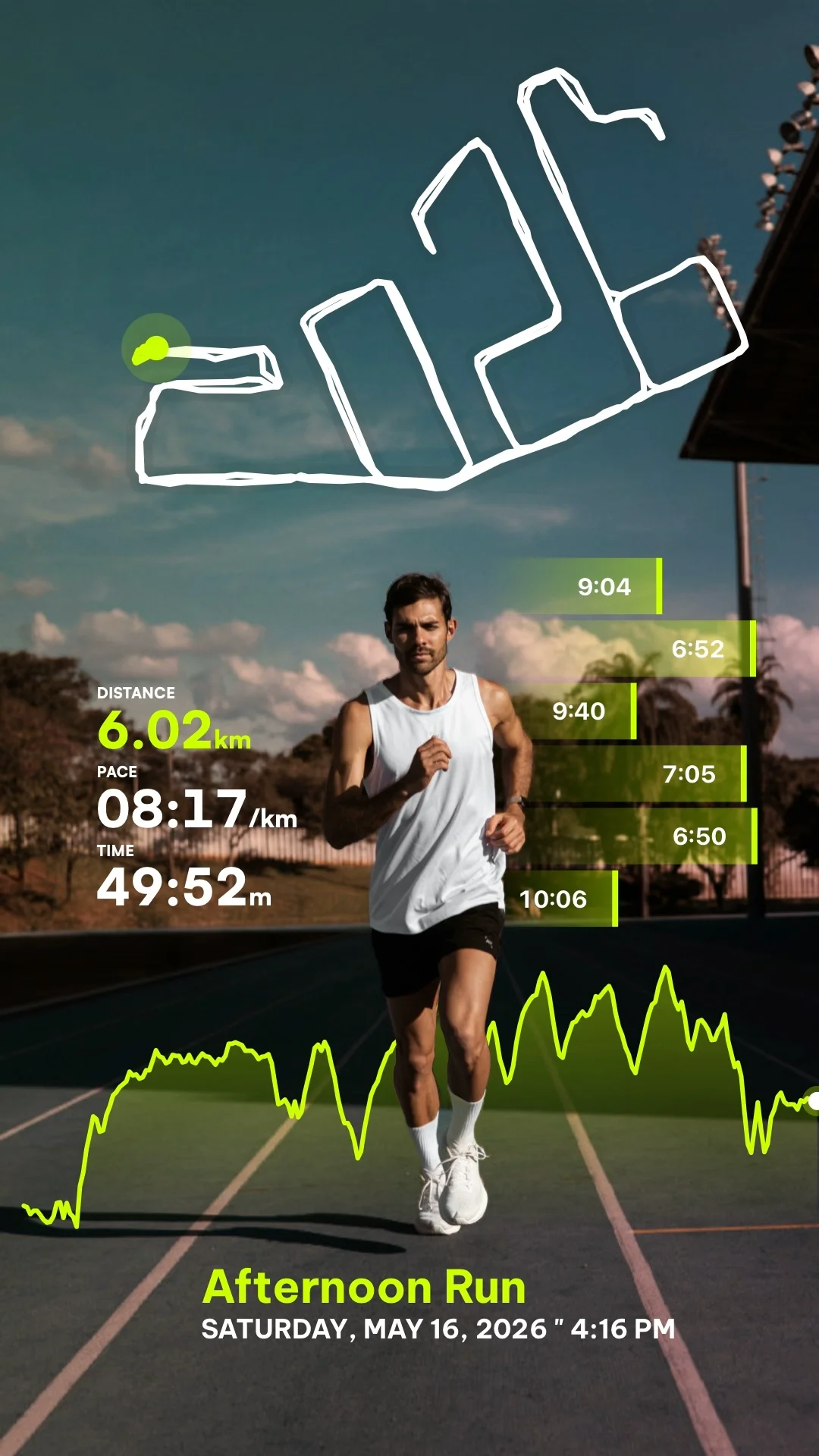
The best running and cycling video overlay apps allow athletes to display workout telemetry—such as animated route maps, pace, speed, heart rate, and elevation—directly on top of their video clips. While desktop tools like Garmin VIRB Edit were popular in the past, modern mobile-first applications have made it much faster to edit and share workout clips in high resolution directly from your phone.
If you are looking to create engaging reels, shorts, or posts for your workouts, here is a breakdown of the best telemetry overlay options available today.
1. RunCut (Best Overall Mobile App)
RunCut is a dedicated mobile application (available on iOS and Android) designed specifically for runners and cyclists who want beautiful, shareable videos with minimal editing effort.
- Key Features: Supports both Recap Video Mode (a 3D animated route map summary) and Sync with Video Mode (overlaying telemetry second-by-second on your own recorded clip).
- Data Integration: Seamlessly imports activities from Apple Health or accepts manual
.FITand.GPXfiles from Garmin, COROS, Wahoo, Suunto, and Strava. - Output Quality: Supports rendering in up to 4K resolution with templates optimized for TikTok, Instagram Reels, and YouTube Shorts.
- Verdict: The most modern, user-friendly mobile app. It combines the route animation of Relive with the telemetry overlay capabilities of Garmin VIRB Edit.
2. Garmin VIRB Edit (Discontinued Desktop Software)
For years, Garmin VIRB Edit was the go-to desktop program for channelling GPX data onto GoPro footage.
- Key Features: High customization, support for various widgets, templates, and gauge layouts.
- Disadvantages: The software was officially discontinued by Garmin. It is no longer updated, making it buggy on modern operating systems (macOS and Windows), and lacks mobile convenience.
- Verdict: A great historic tool, but obsolete for creators who want to quickly post to social media directly from their mobile devices.
3. Relive (Best for Pure Map Recaps)
Relive is a very popular social fitness app that transforms run and ride GPS logs into animated 3D video maps.
- Key Features: Beautiful 3D flyover map animations showing your route, photos, and key stats (max speed, highest elevation).
- Disadvantages: Relive is primarily a recap tool. It does not allow you to sync live fitness data second-by-second on top of your own recorded video clip.
- Verdict: Excellent for map recaps of long adventures, but lacks the ability to create dynamic stats overlays on actual video footage.
4. Telemetry Overlay (Best for Professional Desktop Creators)
Telemetry Overlay is a premium, paid desktop application designed for professional videographers.
- Key Features: Extracts metadata from action cameras (GoPro, DJI, Insta360) and overlays highly customizable gauges.
- Disadvantages: It is expensive, desktop-only, and has a steep learning curve. It is not suitable for casual creators looking for quick mobile exports.
- Verdict: Best for advanced videographers using desktop editing suites like Adobe Premiere or DaVinci Resolve.
Why RunCut is the Ideal Garmin VIRB Edit Alternative
With Garmin VIRB Edit discontinued, creators have struggled to find a tool that can sync GPX data with video. RunCut serves as the perfect modern alternative for several reasons:
- Mobile Convenience: Edit and export directly on your phone instead of copying large video files to a desktop.
- Modern Design System: RunCut features beautiful, vibrant neon telemetry templates and minimal layouts designed for modern social media, whereas VIRB Edit gauges look outdated.
- Dual Mode Flexbility: You don’t have to choose between a map recap (like Relive) and a video overlay (like VIRB Edit). RunCut provides both modes in a single application.
- Platform Agnostic: It accepts fitness logs from Apple Watch, Garmin, Wahoo, COROS, and Suunto without locking you into a single hardware brand.